Catching up on what has happened in VR/AR since the summer:
- v68
- Meta Quest mobile app renamed as Meta Horizon app
- Light mode added to Horizon mobile app
- ability to start or join audio calls between the mobile app and Meta Quest headsets
- Integration of Meta AI with Vision on Quest 3 and Meta AI audio-only on Quest 2 (experimental); replaces older on-device voice assistant (set for August 2024 release)
- reduced performance latency on Quest 3
- support for Content Adaptive Brightness Control in Quest 3 (experimental)
- account management and communication updates in Safety Center
- updates for the virtual keyboard
- new Layout app for aligning and measuring real-world objects in physical space
- new Download and All tabs in Library
- management of cloud backups
- ability to pair controller to headset while in-headset
- audio alert for low battery
- ability control the audio level balance between microphone and game audio when recording, live streaming, or casting
- increased screenshot resolution in Quest 3 from 1440×1440 to 2160×2160
- v69
- “Hey Meta” wake word for Meta AI
- v67 New Window Layout moved to default
- spatial audio from windows
- ability to completely remove unwanted apps and worlds, including leftover apps already uninstalled
- quick pairing of Bluetooth peripherals when they are in pairing mode and near the headset
- ability to keep the universal menu and up to three windows open during immersive experiences
- Content-adaptive backlight control
- automatic placing of user into a stationary boundary when user visits Horizon Home
- Head tracked cursor interaction improvements for staying hidden when not wanted
- ability to view the last 7 days of sensitive permission access by installed apps
- Unified control of privacy across Meta Quest and Horizon Worlds
- Control visibility and status from the social tab
- support for tracked styluses
- Oceanarium environment for Horizon Home
- v69 required to support Horizon Worlds, Horizon Workrooms, co-presence and other Meta Horizon social experiences
- v71 (v70 skipped by Meta)
- redesign of Dark and Light Themes
- redesign of control bar location
- redesign of Settings menu
- Travel Mode extended to trains
- Link feature enabled by default
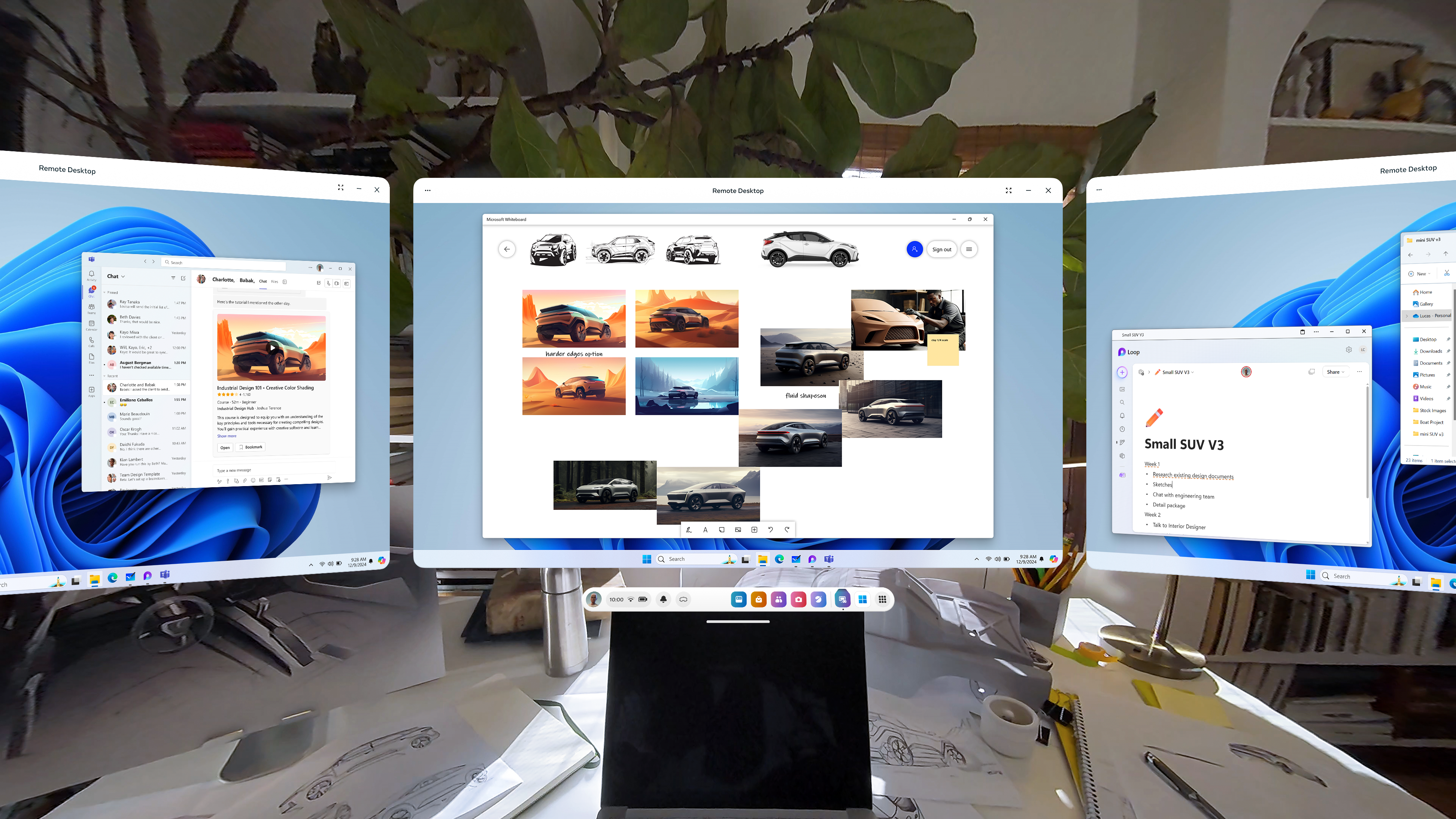
- Remote Desktop in Quick Settings
- ability to use desktop remotely through the Meta Quest Link app on PC
- in-headset pairing of third-party styluses
- in-headset controller pairing
- view app permissions while in use
- higher-quality casting from headset to PC
- new Calendar app, with Google and Outlook Calendars integration, support for subscribed Meta Horizon Worlds events or Workrooms meetings
- ability to share and play back spatial video within Horizon Chat in-headset and mobile
- Volume Mixer, with separate Call Volume and App & Media Volume
- support for content utilizing 3 degrees of freedom (DoF) head tracking through Dolby Atmos and Dolby Digital Surround
- Audio to Expression: machine perception and AI capability deriving facial motion and lip sync signals from microphone input, providing upper face movements including upper cheeks, eyelids, and eyebrows for avatars
- improvements for Passthrough and Space Setup
- v72 [link]
- live captions
- system-wide virtual selfie cam
- app folder for PC VR apps
- launch 2D apps in the room: dragging and dropping the icon into your space
- refreshed boot screen branding (officially “Meta Horizon OS”)
- passthrough keyboard cutout with soft gradient when touching physical keyboard
- dedicated Photo Gallery app
- smart storage
- one more slot for pinned apps
Meta Orion
- Demo of Meta Orion AR glasses at Meta Connect and to tech journalists/vloggers
- I’m especially interested in the neural wristbands. Definitely the biggest step forward by far.
- Unfortunate that this will remain testware for the foreseeable future
Xreal One and One Pro
- Launched early December
- Basically the XReal Air 2 and Air 2 Pro with an embedded co-processor to enable a 3dof spatial UI
- Still needs to be connected to a phone
- Still a pair of movie glasses to be used in stationary settings
- Still no news on the XReal Air 2 Ultra since it was released to developers in the spring
Other items
- Release of Meta Quest 3S, replacing 128GB Quest 3
- Discontinuation of Quest 2 and Quest Pro
- Merger of separate apps for official Quest casting, PC VR, and remote desktop into Meta Quest Link
Takeaway
These last few updates, including what is currently seen in the v72 PTC, have really capped off a significant improvement in what the Quest 3 can do since its initial release in September 2023. Mixed reality on the device has become less of a gimmick. I’m surprised that I can’t find a anniversary review of the Quest 3 comparing the updates between September 2023 and December 2024. Biggest updates:
- Passthrough
- V60: passthrough while loading app (if enabled)
- V64: resolution and image quality
- V65: passthrough environment for some system menus and prompts, including lockscreen and power-off menu
- V66: improvements to passthrough, including reductions in warping
- V67: ability to take any window fullscreen, thus replacing other windows and replacing the dock with simplified control bar with buttons for toggling curving, passthrough background, and brightness of background
- V71: improvements for Passthrough and Space Setup
- V72: generalized passthrough cutout access for physical keyboards
- Boundary and space setup
- V59: suggested boundary and assisted space setup (for Quest 3)
- V60: cloud computing capabilities to store boundaries, requiring opt-in to share point cloud data
- V62: support for up to 15 total saved spaces in Space Setup
- V64: automatic detection and labeling of objects within mesh during Space Setup (undocumented, experimental, optional)
- V65: Local multiplayer and boundary recall with Meta Virtual Positioning System
- V66: Space Setup automatic identification and marking of furniture (windows, doors, tables, couches, storage, screens, and beds, with additional furniture types supported over time) (documented, optional)
- V69: automatic placing of user into a stationary boundary when user visits Horizon Home
- V71: improvements for Passthrough and Space Setup
- V72: automatic stationary boundary when booting into VR home
- Avatars and hands
- V59: legs for avatars in Horizon Home
- V64: simultaneous tracking of hands and Touch Pro/Touch Plus controllers in the same space (undocumented, experimental, optional)
- V65: fewer interruptions from hand tracking when using a physical keyboard or mouse with headset
- V68: ability to pair controller to headset while in-headset
- V71:
- Audio to Expression: machine perception and AI capability deriving facial motion and lip sync signals from microphone input, providing upper face movements including upper cheeks, eyelids, and eyebrows for avatars. Replaces OVRLipsync SDK.
- in-headset pairing of third-party styluses
- in-headset controller pairing
- V72: hand-tracking updates: stabilization and visual fixes for cursor; responsiveness and stability of drag-and-drop interactions

